Small customizations can make a big difference in how your artwork is presented — and how it sells.
These optional add-ons are designed specifically for artists to enhance the way collectors view and engage with your work.
Customization 1: Show the Full Artwork Image (stop auto-crop)
What it does:
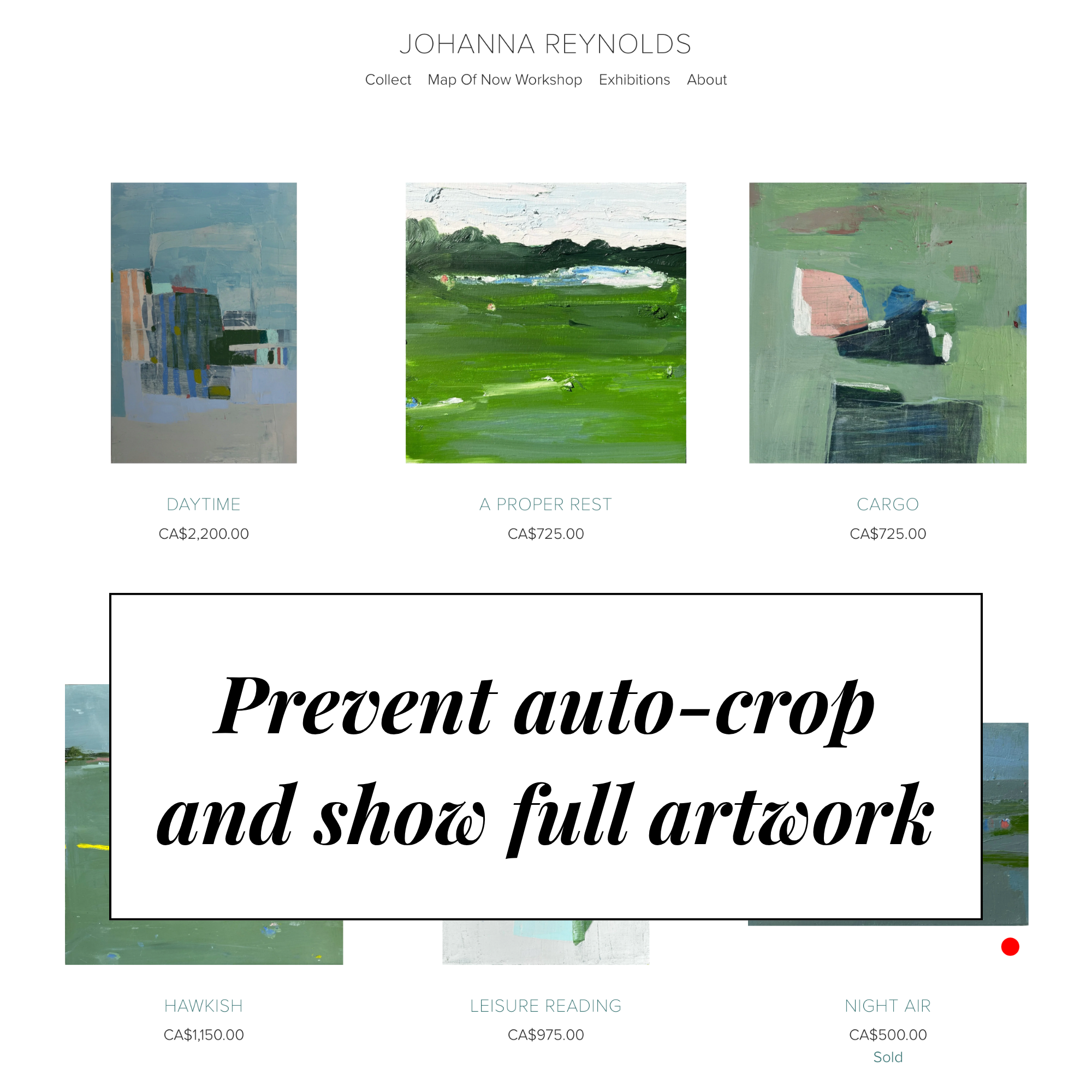
Removes Squarespace’s automatic image cropping on your product grid, quick-view, and product pages.
Why it helps:
Collectors need to see your work as it really is.
This fix ensures your paintings aren’t misrepresented and helps buyers understand the real dimensions, composition, and feel of each piece — which builds trust and reduces hesitation to buy.
Customization 2: Add Red Dots to Sold Artwork
What it does:
Automatically adds a small red dot to the bottom corner of your artwork image when a product sells.
Why it helps:
Red dots are more than just decorative — they’re powerful social proof.
Seeing that others are collecting your work builds urgency and excitement, encouraging new buyers to take action.
It’s a subtle but effective cue that your art is in demand.


See the differences above, using Johanna Reynolds’ website:
📸 Before: All images cropped to perfect squares, taking vital information away from your clients. ‘Sold’ signs are subtle text.
📸 After: Full artworks display exactly as they are, maintaining true proportions, red dot added to corner of image container to indicate sales.
Customization 3: Hide Prices on Sold Work
What it does:
Automatically removes prices from products once they’re marked “Sold.”
Why it helps:
At times, a client may find an outdated price on your website, and try to use it to gain a discount. Outdated prices can hurt your business and negatively affect collectors who want privacy.
This automation means you’ll never have to manually remove prices again, and you’ll prevent clients from seeing older prices that may no longer reflect your current market value.
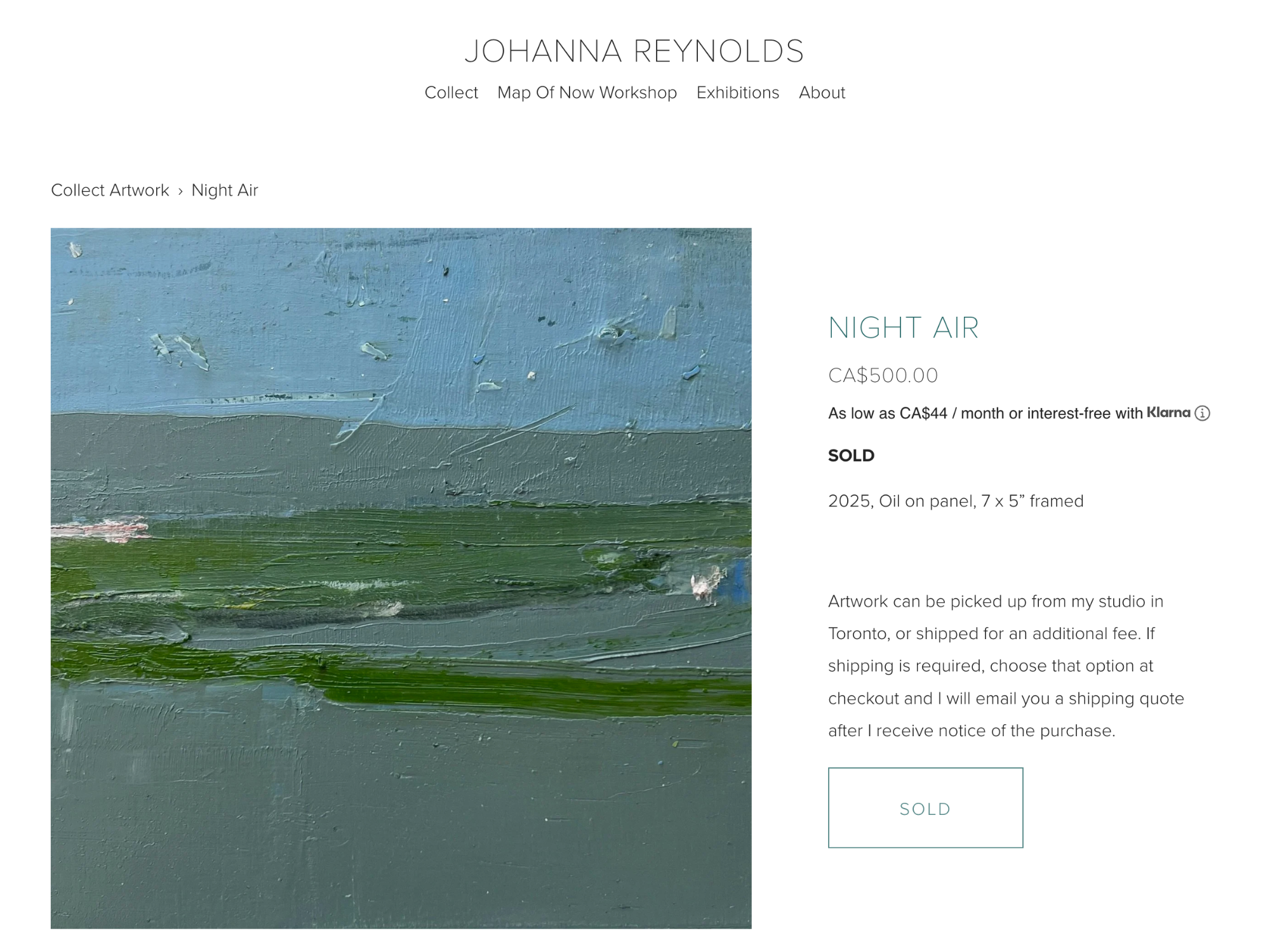

See the differences above with all 3 customizations added (red dot only shows on product thumbnail page)
📸 Before: Sold artworks still display a price, artwork is showing as a square as it has been cropped by Squarespace.
📸 After: Artwork is not cropped, showing the accurate piece, and the price is hidden on each sold piece.
Interested to add these to your site? I can do it for you!
To install these customizations, your website must be a Squarespace plan that allows for Custom CSS. Squarespace ‘Core’ or ‘Business’ plan at minimum (no Basic or Personal plans)
All work is done remotely — no meetings required. Simply add me as an Administrator on your Squarespace site, and I’ll take care of the rest. Rest assured that if you purchase this listing, and your site is not suitable for the upgrade, I’ll refund you immediately.


3 New Website Customizations. Choose one, or get all 3 for a discounted price.
🔴 Add Red Dots to Sold Artwork
Show collectors your work is in demand! Adds a small red dot to each sold artwork image — just like in a gallery — creating excitement and social proof that helps encourage sales.
🖼️ Stop Squarespace’s Auto-Crop
Show your artwork exactly as it is. This code fix removes Squarespace’s automatic cropping so every piece displays in full proportions — on desktop, mobile, and product views.
💰 Hide Prices on Sold Work
Protect your pricing and save time. Automatically removes prices from sold pieces so you don’t have to edit manually — keeping your site clean and current.
💫 Bundle: All Three Add-Ons
Get all three artist-focused upgrades at a discounted rate — red dots for sold work, full-image display, and hidden prices on sold pieces. A seamless, professional polish for your art site.
⚙️ Requirements & Process
Available for Squarespace Core Plan websites (formerly the Business Plan)
Custom code access is required
No meetings necessary — all work is completed remotely
After purchase, simply add me as an Administrator to your Squarespace site, and I’ll take care of the rest